Status updates
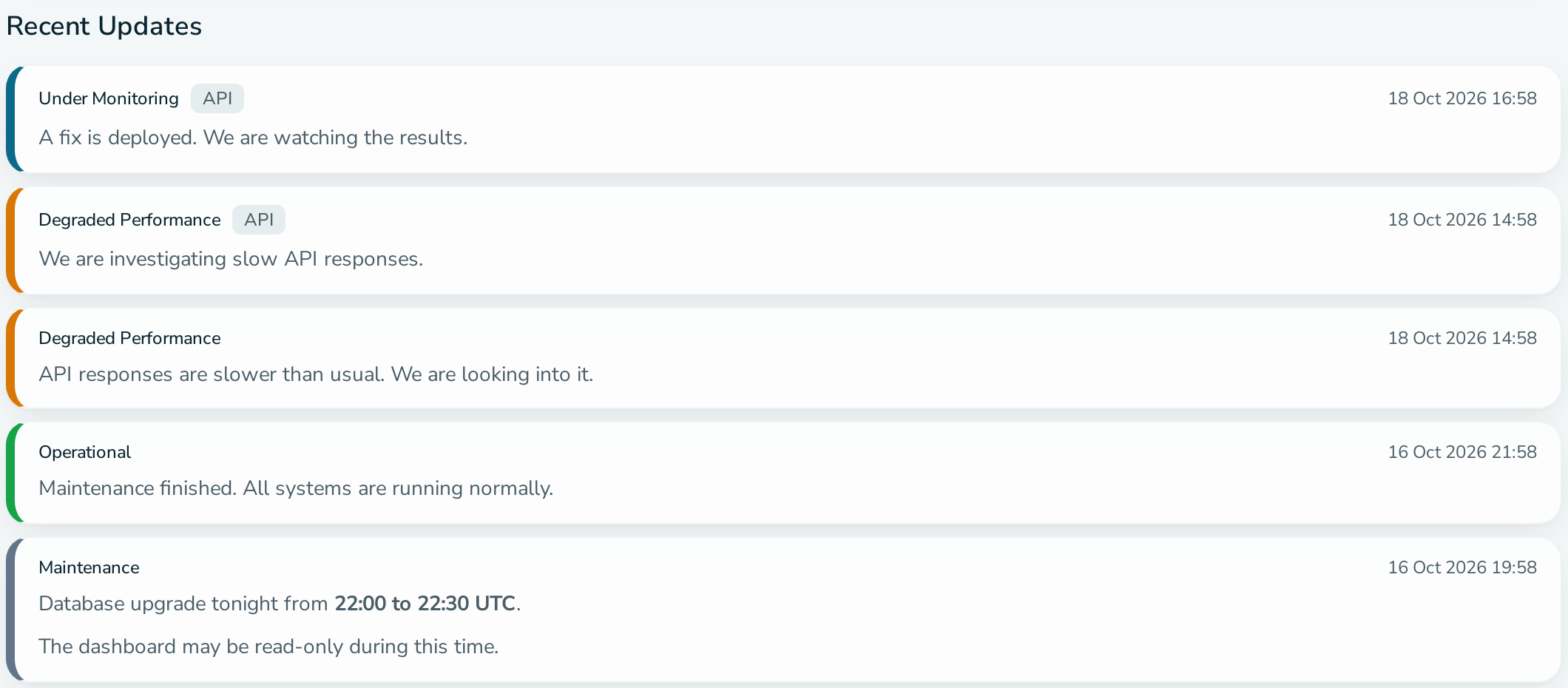
A status update is a message with a status, posted to a service or to one of its components. It appears under Recent Updates on the public status page and is emailed to confirmed subscribers.
Fields
| Field | Required | Notes |
|---|---|---|
| Status | Yes | Operational, Degraded Performance, Critical Outage, Under Monitoring, Maintenance or Offline. |
| Message | Yes | Markdown, up to 4096 characters. |
| Component | No | Leave empty to apply the update to the whole service. |
| Incident | No | Attach the update to an open incident. |
Markdown
Allowed: headings, bold, italic, strikethrough, inline code, code blocks, ordered and unordered lists, blockquotes and horizontal rules.
Links, images, tables and raw HTML are removed from the public page. The Representational State Transfer (REST) Application Programming Interface (API) stores and returns your Markdown unchanged.
Editing and deleting
You can edit or delete a standalone update for 7 days after posting. An edited update shows "Edited" and the time of the edit on the status page.
Who can post
Any member of the service: SUPPORT, OPERATIONS or ADMIN.
Other ways to post
The REST API accepts status updates with POST /api/v1/services/{slug}/status and a service API key.