Status Raptor Status Raptor
EnglishEspañolDeutschFrançaisDanskSvenskaNorskItalianoSuomiNederlands
Documentation Sign in

Features

  • Status updates
  • Incidents
  • Visibility modes
  • Custom domains
  • Services
  • Components
  • Public status page
  • Search engine indexing
  • RSS feed
  • Languages
  • Monitoring
  • Endpoints
  • Monitor types
  • Thresholds and timing
  • Email subscribers
  • Team and roles
  • REST API
  • Plans and limits
  • Accounts and sign-in
  • Security and rate limiting
  • Email notifications

How-to guides

Getting started

  • How do I create an account?
  • How do I sign in with Google or GitHub?
  • How do I create my first service?
  • How do I add components to a service?
  • How do I view my public status page?
  • How do I reset a forgotten password?
  • How do I change my password?

Publishing status

  • How do I publish a status update?
  • How do I publish an update for one component?
  • How do I format a status update with Markdown?
  • How do I edit or delete a status update?
  • How do I open an incident?
  • How do I post updates to an incident?
  • How do I close an incident?
  • How do I announce planned maintenance?

Visibility and domains

  • How do I put my status page behind a password?
  • How do I change or remove the password of my status page?
  • How do I share my status page with a secret link?
  • How do I use my own domain for the status page?
  • How do I fix a custom domain that will not verify?
  • How do I control whether search engines index my status page?

Monitoring

  • How do I verify ownership of an endpoint?
  • How do I monitor a REST health endpoint?
  • How do I check that a page contains specific text?
  • How do I monitor only the HTTP status code?
  • How do I monitor a page that is built with JavaScript?
  • How do I test a monitor before saving it?
  • How do I attach a monitor to a component?
  • How do I set how often a monitor runs?
  • How do I avoid false alarms and choose what happens when a target is unreachable?
  • How do I make a monitor public or private?
  • How do I read the monitoring history?
  • How do I delete a monitor or an endpoint?

Subscribers

  • How do visitors subscribe to my status page?
  • How do I unsubscribe from a status page?

Team

  • How do I invite a team member?
  • How do I accept or decline an invitation?
  • How do I choose or change a team member's role?
  • How do I remove a team member?

API and automation

  • How do I create or revoke an API key?
  • How do I post a status update from a script?
  • How do I open and close an incident from a script or a deployment pipeline?

Plans and account

  • How do I request an upgrade to PRO?
  • What are the limits of FREE and PRO?
  • How do I delete a service or a component?
    Documentation / Features

    Visibility modes

    Each service has one visibility mode. Only service ADMINs can change it, under Settings, in the Page visibility card.
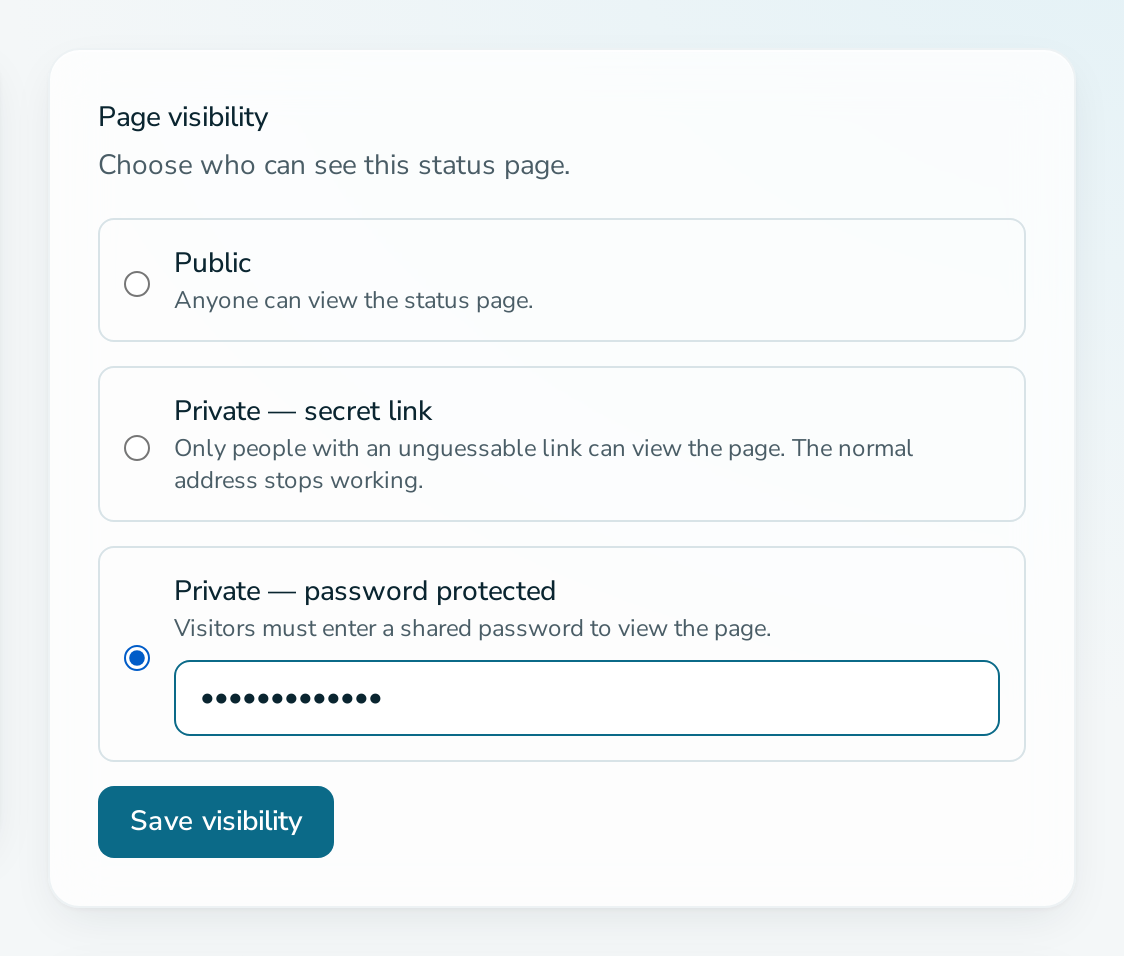
    Page visibility card with the password option selected

    Modes

    Mode Who can view Address
    Public Anyone /status/{slug}
    Private, secret link Anyone holding the link /p/{token}
    Private, password protected Anyone who enters the shared password /status/{slug}

    Secret link

    The link contains a 256-bit random token. The normal /status/{slug} address returns 404 for visitors who have not opened the link, so it does not reveal that the page exists.

    Regenerate link creates a new token. The old link stops working, and so does every browser session that used it.

    Password

    Visitors are redirected to an unlock form. The password is stored hashed, must have at least 6 characters, and is shared by everyone. When you edit the mode and leave the password field empty, the existing password is kept.

    Wrong passwords are rate limited per page and client Internet Protocol (IP) address.

    Effects of a private mode

    • Switching mode or changing the password or link signs out visitors who had unlocked the page.
    • Private pages are never indexed by search engines and carry no search engine optimization (SEO) metadata.
    • A private page cannot have a custom domain. Adding a domain makes the page public, and choosing a private mode while a domain is set is rejected.

    Related

    • How do I put my status page behind a password?
    • Custom domains

    Status Raptor
    Status Raptor by Input Objects GmbH
    Good Stuff Platform status Documentation Friendly Policy
    Legal Stuff Terms & Conditions Privacy Policy Cookie Policy Imprint
    How do I publish a status update?How do I post updates to an incident?How do visitors subscribe to my status page?How do I announce planned maintenance?How do I control whether search engines index my status page?
    How do I share my status page with a secret link?How do I post a status update from a script?How do I put my status page behind a password?How do I make a monitor public or private?How do I monitor a page that is built with JavaScript?
    v1.4.1 · © 2026 Input Objects GmbH