How do I put my status page behind a password?
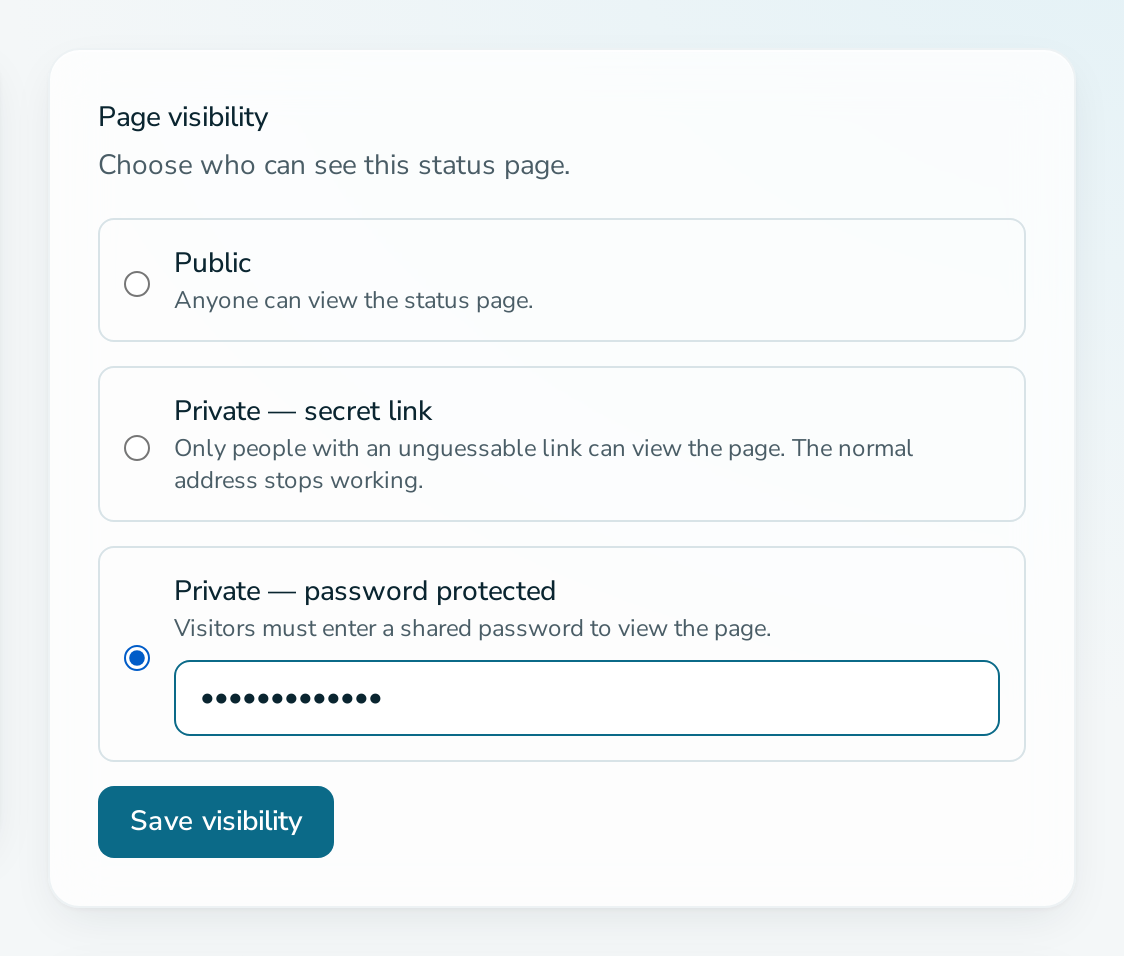
Open the service, go to Settings, choose Private, password protected in the Page visibility card, enter a password and select Save visibility.
Before you start
- You are a service ADMIN.
- The service has no custom domain. A page with a custom domain must stay public.
- The password has at least 6 characters.
Steps
- Open the service and select Settings.
- In Page visibility, select Private, password protected.
- Type the password in the field below the option.
- Select Save visibility.
- Open
/status/{slug}in a private browser window and confirm the unlock form appears.
Questions
How do I change the password?
Repeat the steps with a new password. Visitors who had unlocked the page must enter the new one.
What happens if I leave the password field empty?
The existing password is kept.
How do I share the page without sharing a password?
Choose Private, secret link instead. Anyone with the link can view the page. Use Regenerate link to revoke it.
Why is the password option disabled?
The service has a custom domain. Remove the domain first, or keep the page public.
How do I make the page public again?
Select Public and save. The password is no longer asked.